
News
What's New on Promzio: AI Prompt Builder, Library & More
A complete look at what Promzio offers today — the free AI Prompt Builder powered by Google Gemini, a growing prompt library across 10 categories, weekly newsletter, and community across X and Instagram.
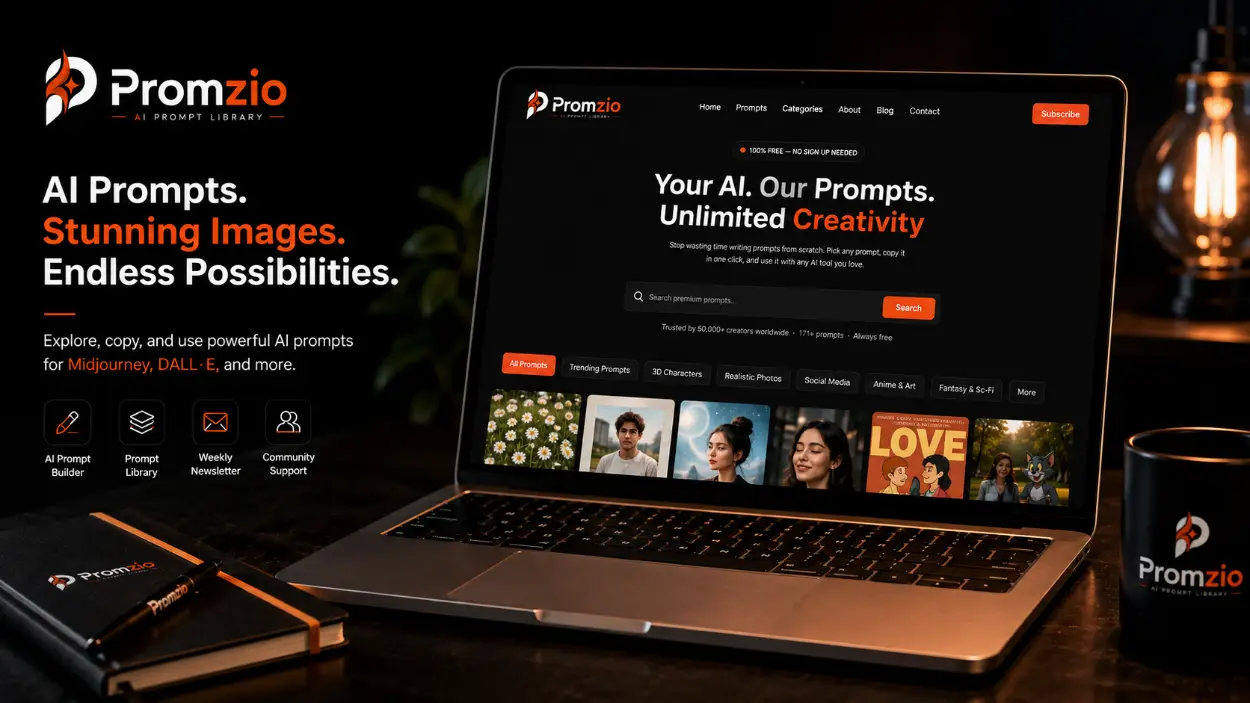
Introduction: Building Promzio, One Feature at a Time
Behind every feature on a website, there are decisions — what to build, what to prioritize, what problem is actually worth solving. For Promzio, those decisions have always started from a single question: what does someone trying to create a great AI image actually need?
The answer has shaped everything. A free library with no registration barriers, because access should not require an account. Images alongside every prompt, because text alone is not enough to make a visual decision. One-click copying, because friction kills creative flow. A built-in prompt builder, because sometimes you have a specific idea that no library entry perfectly matches.
This news article is a detailed look at Promzio as it stands today — its actual features, the thinking behind them, and what is coming next. No speculation, no vague roadmap language. Just an honest account of what we have built and why.
The Library: hundreds Prompts, 10 Categories, Daily Updates
The foundation of Promzio is the prompt library itself. Right now, that library contains a constantly growing library of hand-tested AI image prompts organized across 10 categories:
Realistic Photos — our largest and most active category with hundreds of prompts. Our largest and most active category. Cinematic portraits, editorial fashion, couple photography, lifestyle content, and ultra-photorealistic scene work.
Anime & Art — dozens of prompts. Studio Ghibli-inspired illustration, anime-realism hybrid styles, watercolor, and hand-crafted artistic aesthetics.
3D Characters — a growing collection of prompts. Pixar-quality character renders, stylized 3D portrait art, and digital character concepts.
Social Media — a focused collection of prompts. Vertical-format content optimized for Instagram, lifestyle photography, and social-first creative work.
Posters & Wallpapers — a curated set of prompts. Bold editorial compositions, double-exposure effects, and high-impact large-format art.
Fantasy & Sci-Fi — a selection of prompts. Dark fantasy concept art, cyberpunk, miniature diorama styles, and futuristic scene work.
AI Avatars — a selection of prompts. Photo-to-illustration transformation — caricatures, geometric portraits, and stylized digital avatars.
Product Photos, Logos & Icons, Interior Design — Three categories currently being actively expanded.
New prompts are added across all categories every day. The objective is a library that stays current with what is actually possible in AI image generation — not a static archive that captures a moment and stops growing.
The AI Prompt Builder: Custom Prompts in Seconds

The single most significant feature addition to Promzio in recent months has been the AI Prompt Builder, available on the homepage.
The problem it solves is straightforward: the library contains hundreds of free prompts, which is genuinely a lot. But it cannot contain every possible combination of subject, style, lighting, and mood that a creator might want. If you have a specific idea in mind that does not match any existing prompt exactly, the library has limited options.
The Builder addresses this directly. Here is how it works:
Step 1: Describe Your Idea
Type your core concept into the text field on the homepage. This can be as simple or as detailed as you like — "a woman in a red dress" works just as well as "a professional businesswoman in a modern office with floor-to-ceiling windows." The Builder handles both.
Step 2: Select Your Filters
Four filter categories allow you to specify the technical parameters you want:
Subject: Portrait, Landscape, Character, Animal, City, Food, Interior, Fantasy, Abstract, Logo, Nature, and more
Style: Cinematic, Anime, Realistic, Watercolor, Minimalist, Fantasy Art, Vintage, 3D Render, Oil Painting, Cyberpunk, Line Art, Pixel Art
Lighting: Golden Hour, Dramatic, Soft Light, Neon, Studio, Natural, Backlit, Volumetric, Moonlight, Candlelight, Overcast
Mood: Calm, Epic, Dark, Dreamy, Joyful, Melancholy, Mysterious, Romantic, Tense, Nostalgic, Futuristic, Surreal
You can select one filter or all four — or any combination in between. The Builder adapts to whatever context you provide and fills in the missing elements intelligently.
Step 3: Enhance
Click the Enhance button. The Builder sends your idea and selected filters to our AI, powered by Google Gemini, which rewrites your input into a complete, professionally structured prompt. The Gemini model understands the vocabulary of AI image generation — lighting terminology, camera specifications, material descriptors, compositional framing — and applies that knowledge to transform your basic input into a detailed, precise prompt.
The enhancement typically takes a few seconds. The resulting prompt is displayed in the text area below, ready to copy with one click.
What the Enhancement Produces
The enhancement adds the structural elements that make a prompt effective: a clear medium specification, detailed subject description, environmental context, named lighting type and quality, and camera or style specifications. These are the exact elements covered in our Guide blog post — the five-part formula applied automatically to your idea.
A typical enhancement transforms "a woman walking through rain" into something like:
"Cinematic medium shot of a solitary young woman in a flowing trench coat walking through a rain-soaked cobblestone street at dusk, warm amber streetlights reflecting in puddles around her feet, soft rain streaks visible in the foreground, shallow depth of field, shot on 50mm lens, cool blue-grey color grading with warm orange accent tones, photorealistic editorial mood, cinematic film quality."
The original idea is preserved. The technical quality is dramatically elevated.
The Copy Prompt Feature
Every prompt in the Promzio library — and every prompt generated by the Builder — can be copied with a single click using the Copy Prompt button.
The button copies the complete prompt text to your clipboard instantly, confirmed with a small animation. There is no text selection, no risk of partial copying, and no accidental modifications to the prompt text during the copy action.
This feature was built with a specific workflow in mind: you should be able to go from finding a prompt on Promzio to having it in your AI tool's input field in under ten seconds. The one-click copy removes the only friction point in that workflow.
Featured Content: Trending, Prompt of the Day, Latest
The Promzio homepage organizes content into three featured sections, each serving a different discovery purpose:
Prompt of the Day highlights one or a few hand-selected prompts that represent particularly high-quality or distinctive content at that moment. Current Prompt of the Day selections include social media lifestyle prompts, four-panel editorial content, and seasonal theme photography.
Trending showcases editorially selected prompts that represent compelling styles and techniques worth highlighting at this point in time. Current trending content includes cultural-spiritual editorial photography, fashion editorial in monochromatic palettes, golden hour couple portraits, and photorealistic miniature diorama art.
Latest shows the most recently added prompts to the library — new additions that have just been tested and published. This is the best section to check if you visit Promzio regularly and want to see what has been added since your last visit.
The Newsletter: Fresh Prompts Delivered Weekly
Promzio sends a weekly newsletter to subscribers. The newsletter features a curated selection of new prompts from the library — new additions, featured content, and styles we are currently focusing on expanding.
The newsletter is opt-in, completely free, and unsubscribable at any time from within any email we send. It is the simplest way to stay current with Promzio's growing library without having to remember to check the site regularly.
If you would like to receive it, you can subscribe using the email form on the homepage. We send one email per week, no more.
Social Media: Where to Follow Promzio
Promzio maintains an active presence across three social platforms, where we share new prompts, AI images generated from the library, and updates about what we are building:
X (Twitter): @promzio — Platform updates, new prompt announcements, and AI art examples.
Instagram: @promzio — Visual showcase of AI images generated from Promzio library prompts.
Reddit: u/promzio_official — Community discussion, tips, and library updates.
These channels are the best way to see what the Promzio library produces in practice — real AI images generated from real prompts, shared with full context.
The Tools Promzio Prompts Are Tested With
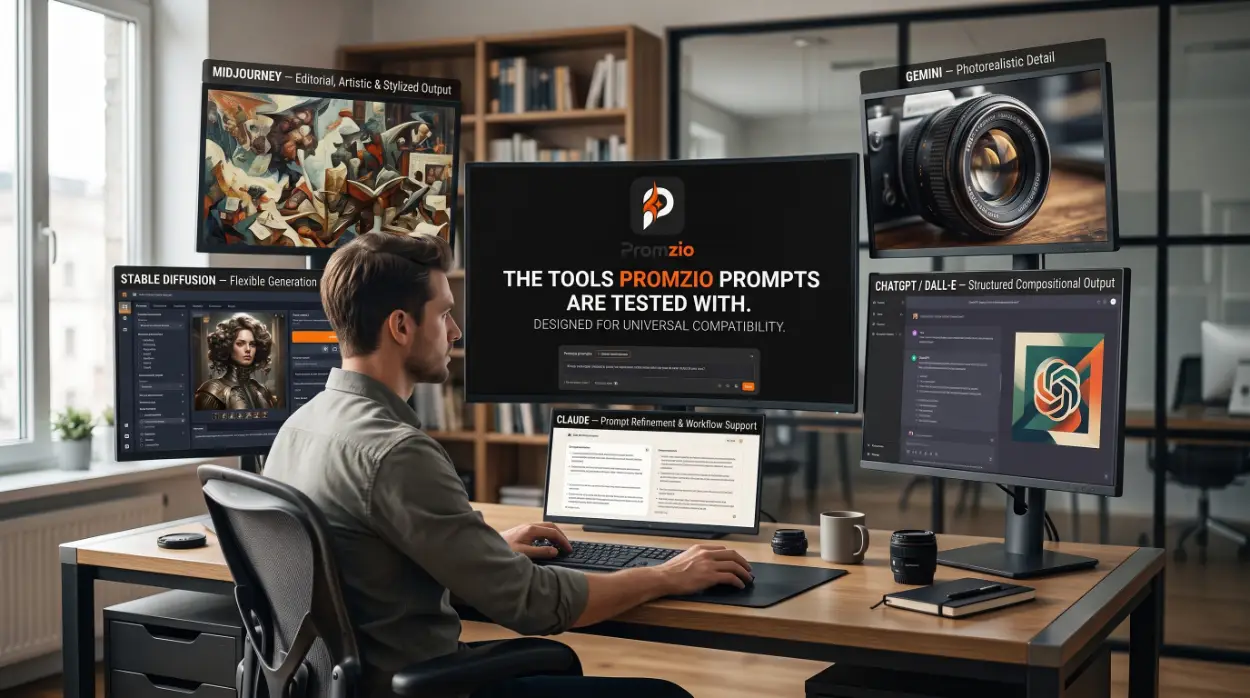
Promzio prompts are tested and designed for compatibility with five major AI image generation tools:
Midjourney — For editorial, artistic, and stylized output
Stable Diffusion — For flexible, customizable generation workflows
ChatGPT / DALL-E — For structured compositional output
Gemini — For photorealistic and detailed scene rendering
Claude — For prompt refinement and text-to-image workflow support
The prompt library is designed with cross-tool compatibility as a priority. Prompts use universal visual language — photography terminology, art style references, material descriptors — rather than tool-specific command syntax. This means a prompt that performs well in Midjourney will also produce strong results in Stable Diffusion and ChatGPT, even if the exact visual style varies slightly between them.
What We Are Building Next
The Promzio library is actively growing. Three categories — Product Photos, Logos & Icons, and Interior Design — are being expanded with new prompts currently in testing. These categories represent significant creative use cases that deserve the same depth of content as Realistic Photos and Anime & Art currently have.
Beyond the library itself, we are continuously evaluating features that reduce the friction between having a creative idea and producing a high-quality AI image from it. The AI Prompt Builder was the most significant feature addition this year. We are looking at what comes next with the same question we always start with: what does a creator actually need right now?
Promzio is ad-supported and free. That model does not change. Every feature we add — every prompt we test and publish, every tool we build — will remain free and open to anyone who visits the site. That is the commitment we made when we launched, and it is the commitment we are keeping.
Conclusion
Promzio today is a free library of hundreds hand-tested AI prompts, an AI Prompt Builder powered by Google Gemini, a weekly newsletter, and an active presence across X, Instagram, and Reddit. Every feature exists to solve the same problem: making high-quality AI image generation accessible to anyone, regardless of their experience with prompts.
If you have not explored the library recently, now is a good time. The Trending section has new featured prompts. The Latest section has content added in the last few days. And the AI Prompt Builder is always ready if you have an idea that needs a custom prompt.
Everything is free. Everything is there. Go create something great.
Frequently Asked Questions
What AI model powers the Promzio AI Prompt Builder?
What categories does the Promzio library currently include?
Where can I follow Promzio on social media?
What is the Promzio newsletter and how do I subscribe?
Which AI tools are Promzio prompts compatible with?
Is Promzio free, and how does it sustain itself?

Promzio Team
AI Prompt Specialists & Curators
Promzio is built and maintained by Jay, a web developer (BCS, MCA) with hands-on experience using AI tools in real projects and workflows. After spending countless hours searching for reliable, ready-to-use AI prompts and facing the same struggles many creators do, Jay set out to build a solution — alongside a dedicated team of 4 — to make that process easier for everyone.
Promzio was created to solve a problem we personally faced: wasting time searching for good prompts instead of creating. Every prompt on this site is tested, organized, and shared with the goal of helping creators, marketers, and AI enthusiasts save time and create better content, faster.