
Comparison
Promzio vs. Saving AI Prompts in Notes: Why a Visual Library Wins
Stop losing your best AI prompts in scattered text docs. See exactly how Promzio's visual prompt library — with one-click copy, curated categories, and daily updates — beats the old text-file workflow.
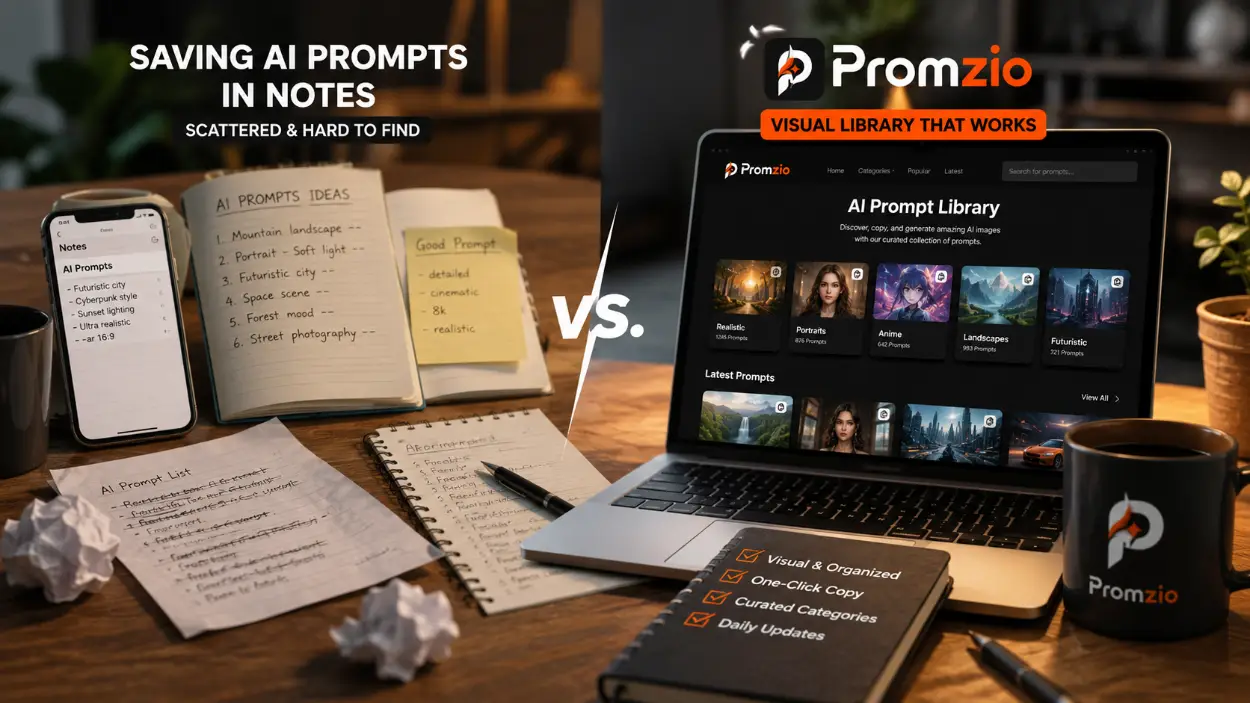
Introduction: The Prompt Storage Problem Nobody Talks About
If you have been working with AI image generation for more than a few weeks, you have probably developed some kind of personal prompt collection. Maybe it is a note in your phone. A Google Doc with hundreds of lines. A spreadsheet with columns labeled "Subject," "Lighting," "Style." A folder of screenshots from Reddit and Discord.
And if you have been managing that collection for any length of time, you already know the core problem: it does not actually work as well as it should.
You save a prompt because it produced a stunning image. But three months later, when you need something similar, you cannot find it. Or you find what seems like the right prompt, paste it in, and get a completely different result than you expected — because you cannot remember exactly which variation worked.
This is not a discipline problem. It is a fundamental mismatch between the tool — text documents — and the task — managing visual content. AI prompts are instructions for producing images. The only sensible way to organize them is alongside the images they produce. And that is precisely what Promzio is built to do.
The Old Way: Five Specific Problems
Problem 1: Text Without Visual Context
When you store a prompt as a text block in a notes app, you are completely disconnecting the instruction from the result. A prompt like:
"Ultra-photorealistic editorial portrait of a woman in a structured white blazer standing on a sunlit rooftop, shallow depth of field, golden hour rim light, shot on 85mm lens, f/1.4, professional color grading, editorial fashion mood."
...could produce a dozen different visual outcomes depending on the tool, the seed, and the model version. When you encounter this prompt three months later in your notes app, you have no way to know which specific result you were trying to replicate — because the image is not there. You have to generate it again, consume credits, and hope you get something close.
Problem 2: Search That Works Against You
Text-based search assumes you remember the exact words you used. This assumption fails almost immediately in practice. If you saved a prompt using the words "golden hour" and "rim light," but you are searching for "warm afternoon glow," your search returns nothing — even though the prompts describe the same visual effect.
As your collection grows past a hundred entries, the search problem compounds. You end up spending five minutes searching for something you know you have, eventually giving up and writing a new prompt from scratch — which is the entire situation you were trying to avoid.
Problem 3: No Quality Standard
Personal prompt collections have no quality filter. Everything you ever saved is in there — including the experiments that half-worked, the prompts you copied from someone online without testing, and the variations that produced mediocre results. Over time, the good prompts get buried in the noise of everything you collected along the way.
Problem 4: Static and Stagnant
Your personal collection is limited by your own experience and exposure. It does not update with new styles. It does not show you techniques you have not encountered yet. If you have been primarily working with portrait prompts, your collection contains portrait prompts — and nothing will prompt you to explore anime illustration, 3D character design, or poster art unless you actively go looking.
Problem 5: The Copy-Paste Friction
Manually highlighting and copying text from a document sounds trivial — but when you are iterating rapidly across multiple generations, it adds up. Missing a character at the beginning of the prompt. Accidentally selecting the title above it. Copying half of the next prompt below. These small errors produce failed generations that waste time and credits.
The Promzio Way: How a Dedicated Library Solves Each Problem
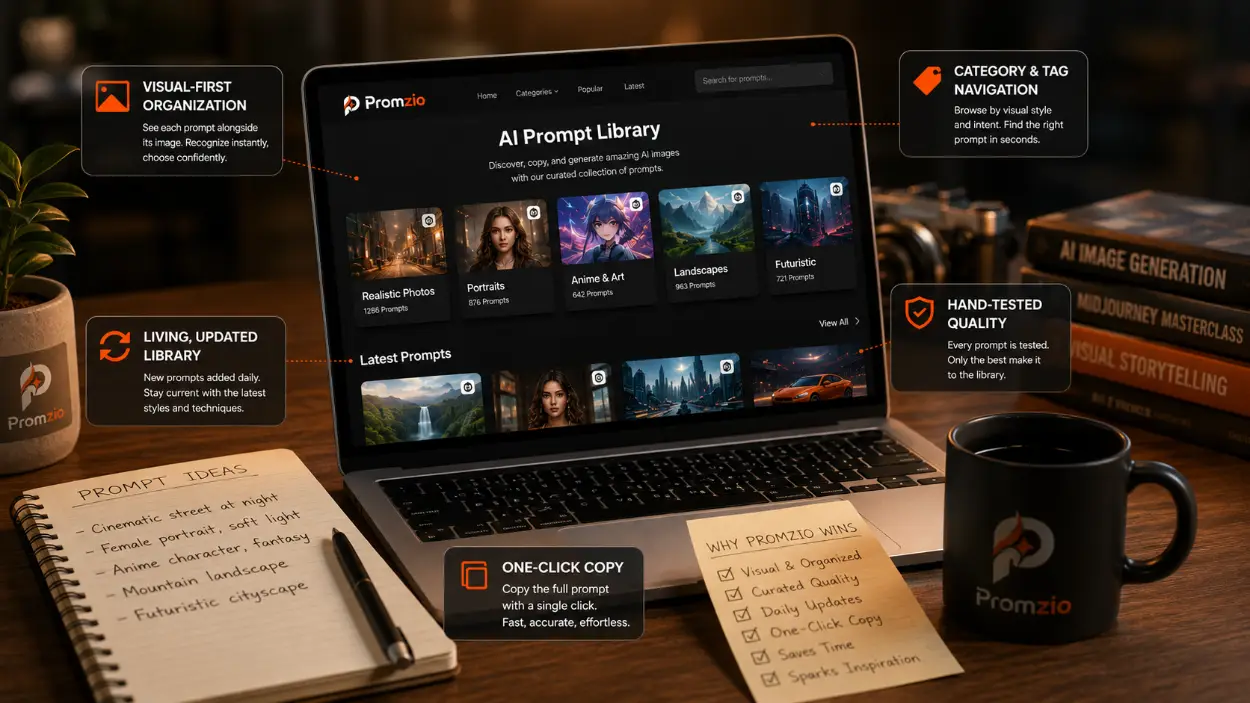
Solution 1: Visual-First Organization
On Promzio, every single prompt in the library is displayed alongside the image it produces. You are not reading text and trying to reconstruct the visual in your head — you are scrolling through actual AI-generated images and selecting the one that matches what you are trying to create.
This is the fundamental architectural difference. Promzio treats prompts as visual artifacts, not text snippets. The image is the primary interface. The text is what you copy after you have made your visual decision.
When you come back to Promzio three months after first seeing a prompt, the image is still there. You recognize it immediately. You copy the prompt. You generate. That is a workflow that actually works.
Solution 2: Category and Tag Navigation
Instead of relying on keyword memory, Promzio organizes its entire library by visual type and artistic intent. The Realistic Photos category tells you exactly what you are getting: photorealistic, camera-driven, editorial prompts. The Anime & Art category contains illustration-style, animation-inspired prompts.
When you are looking for a specific style, you navigate to the category that matches that style — not to a search bar that depends on your ability to remember the exact words used in a prompt you saved months ago.
The result is that finding the right prompt takes seconds rather than minutes. And you discover relevant prompts you were not explicitly looking for in the process — which is where a significant amount of creative inspiration actually comes from.
Solution 3: Hand-Tested Quality Standard
Everything in the Promzio library has been written and tested before it is published. The image on the prompt card is the actual output. If a prompt did not produce a strong, visually impressive result during testing, it does not appear in the library.
This is fundamentally different from a personal collection where everything you ever encountered ends up in the same place. Promzio is curated. Every prompt you copy from the library is one that has been verified to work — not just theoretically, but in practice, producing the image you can see right there on the screen.
Solution 4: A Living, Actively Updated Library
Promzio is updated every day. New prompts are added across categories. New styles, new techniques, new visual trends — all of it gets added to the library as it becomes relevant.
This means that visiting Promzio regularly is not just about finding prompts you need right now. It is also how you stay current with what is possible in AI image generation. The Featured section shows you what is working best at this moment. The Latest section shows you what has just been added. Together, they function as a continuous creative education — showing you techniques and styles you would not have discovered within the walls of your own personal collection.
Solution 5: One-Click Copy
Promzio's Copy Prompt button copies the entire prompt text to your clipboard with a single click. There is no text selection, no accidental partial copying, no risk of missing a crucial parameter at the beginning or end of a long prompt.
The interaction takes approximately one second. You click the button, see the confirmation animation, and the complete prompt is in your clipboard — ready to paste into any AI tool. This sounds like a small thing, but over the course of dozens of daily generations, the elimination of copy-paste friction makes a measurable difference to the fluency of your creative process.
A Direct Comparison: The Same Task, Two Workflows
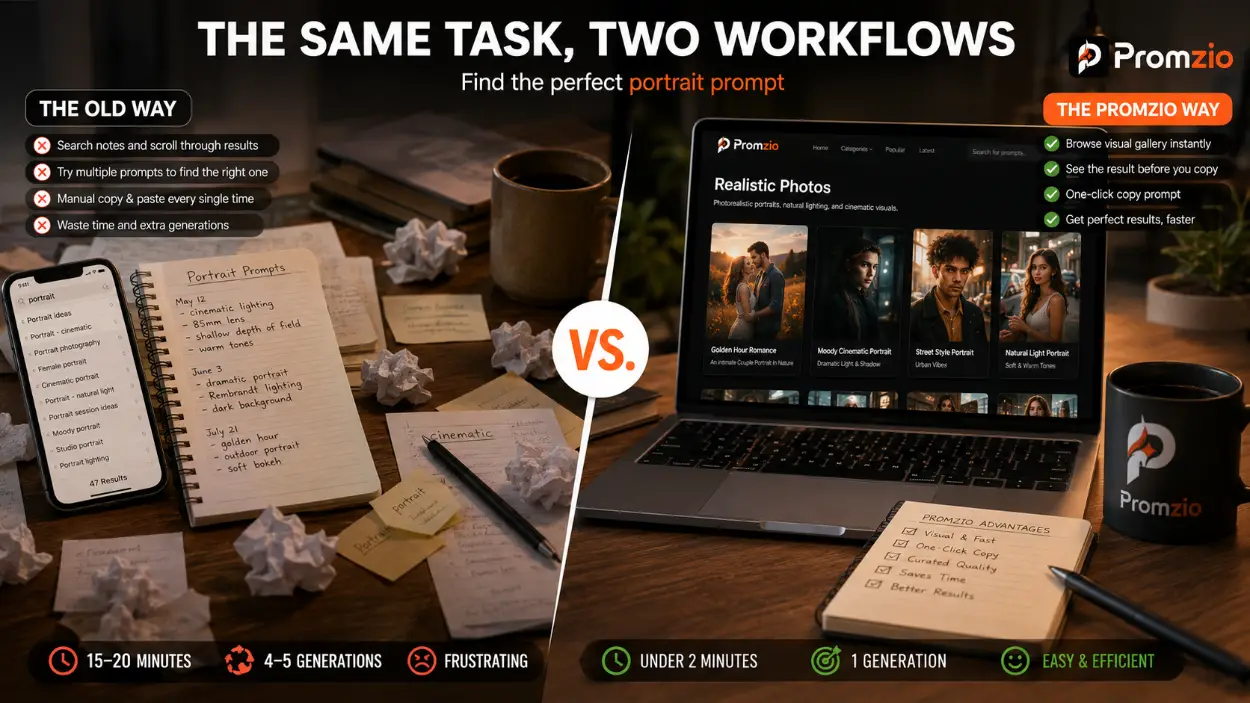
Let's make this concrete. Imagine you are working on a project that needs a high-quality portrait image with warm, cinematic lighting. You saw something similar three months ago and know you saved the prompt somewhere.
The Old Way:
Open your notes app. Search for "portrait." Get 47 results.
Search more specifically for "cinematic." Now you have 12 results.
Read through the text blocks, trying to remember which one produced the result you liked.
Pick one. Copy the text manually — carefully selecting from the first character to the last.
Paste into your AI tool and generate.
The result is not what you remembered. Try another prompt from your list.
After four generations, you find something close enough.
Total time: 15-20 minutes. Total generations: 4-5.
The Promzio Way:
Go to Promzio.com. Navigate to Realistic Photos.
Scroll through the visual gallery for 30-45 seconds.
See Golden Hour Romance: An Intimate Couple Portrait in Nature — that's the look.
Click Copy Prompt.
Paste. Generate. Done.
Total time: under 2 minutes. Total generations: 1.
The difference is not about capability — it is about workflow design. Promzio is designed around the way visual search actually works: you recognize what you want when you see it, not when you read a text description of it.
Who Benefits Most from Promzio
While anyone who uses AI image generation regularly benefits from Promzio, a few specific use cases make the visual library approach particularly valuable:
Content creators and social media managers who generate multiple images per day and cannot afford to spend twenty minutes finding the right prompt for each one.
Small business owners who need professional product photos, marketing visuals, and branded graphics without a dedicated design team or photography budget.
Students and beginners who are learning what is possible with AI generation and need a curated, trustworthy starting point rather than an overwhelming set of conflicting online resources.
Designers and artists who want to explore new visual styles and techniques without spending hours writing experimental prompts from scratch.
Promzio is Ad-Supported, Not Subscription-Gated
A common question when people first encounter Promzio is: where is the catch? The library is free, the copy feature is free, the AI Prompt Builder is free.
The answer is advertising. Promzio is ad-supported — the same model used by most of the web's most useful free tools. You will see ads on the site. That is how we sustain the platform without ever charging users or putting content behind a paywall.
There is no premium tier. There is no subscription. Every prompt in the library is available to everyone, whether you have been visiting the site for three years or for three minutes. That is a deliberate choice, and it is one we intend to maintain permanently.
Conclusion
The old way of managing AI prompts — through scattered text documents, notes apps, and personal spreadsheets — is functional at small scale. As soon as your usage grows, it becomes a genuine bottleneck. The visual nature of AI image generation is fundamentally incompatible with text-only organization.
Promzio solves this not by adding complexity but by removing friction. Visual browsing instead of text search. Curated quality instead of unsorted collections. One-click copy instead of manual text selection. Daily updates instead of a static personal archive.
The result is a workflow that gets out of the way and lets you focus on the creative work itself. That is the Promzio way. And compared to the alternative, the difference is immediate.
Frequently Asked Questions
Why is visual browsing better than text search for finding AI prompts?
What quality standard do Promzio prompts meet before they are published?
How often is new content added to the Promzio library?
Is there a limit on how many prompts I can copy from Promzio?
Does Promzio work on mobile devices?
How is Promzio free if it provides a full library and AI features?

Promzio Team
AI Prompt Specialists & Curators
Promzio is built and maintained by Jay, a web developer (BCS, MCA) with hands-on experience using AI tools in real projects and workflows. After spending countless hours searching for reliable, ready-to-use AI prompts and facing the same struggles many creators do, Jay set out to build a solution — alongside a dedicated team of 4 — to make that process easier for everyone.
Promzio was created to solve a problem we personally faced: wasting time searching for good prompts instead of creating. Every prompt on this site is tested, organized, and shared with the goal of helping creators, marketers, and AI enthusiasts save time and create better content, faster.