
Young South Asian Couple Walking Hand in Hand Through Blooming Garden
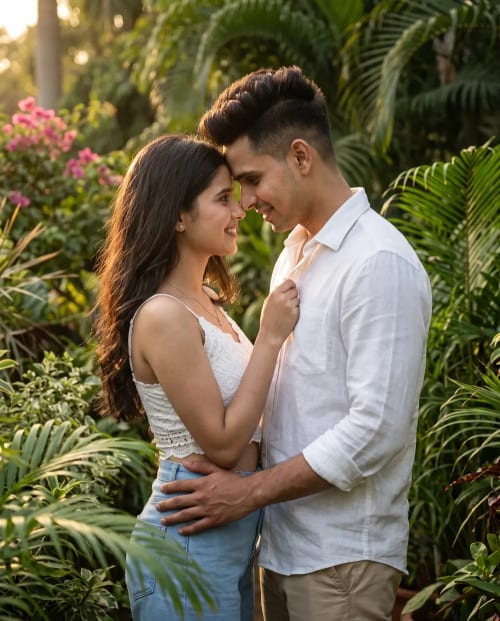
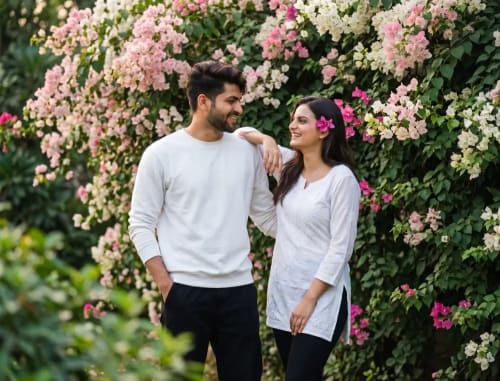
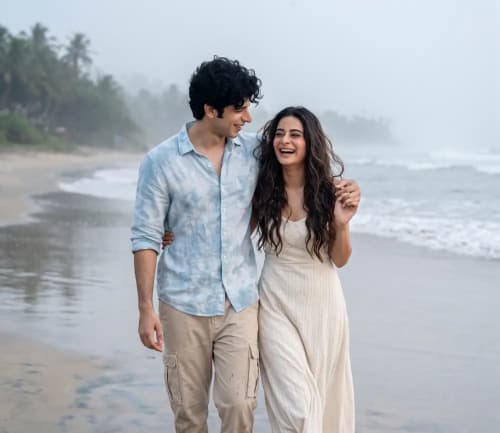
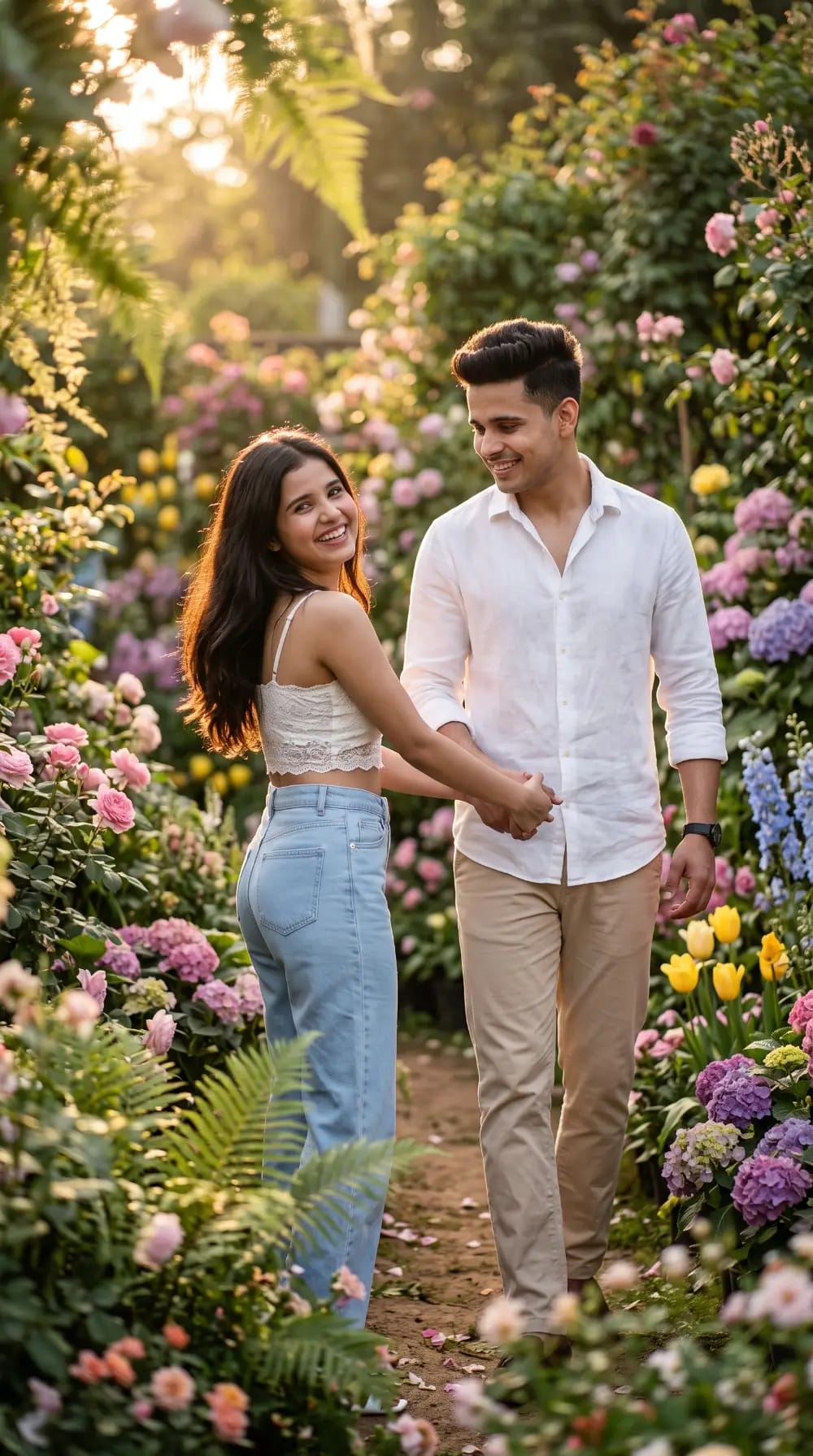
This prompt generates a realistic vertical portrait of a young South Asian couple walking hand in hand through a lush botanical garden. Shot with a simulated 85mm portrait lens, the image showcases a candid moment illuminated by soft golden hour sunlight filtering through foliage. The woman wears a white lace crop top with blue jeans, looking back toward the camera with a happy smile. The man wears a white shirt and khaki trousers, gazing warmly at her. The framing highlights soft bokeh, blooming roses, and natural depth. Creators can use this for lifestyle stock imagery, romantic branding, or editorial content.
The Prompt
Ultra-photorealistic 8K DSLR-style vertical portrait of the same young South Asian couple strolling hand-in-hand through the same densely flower-filled botanical garden, preserving their identical appearance, facial features, hairstyles, physiques, clothing, and dress styling. The young woman turns her head back toward the camera with a radiant, spontaneous smile, her expression joyful and affectionate, while gently tugging the young man forward by the hand. The young man follows naturally with a warm, genuine smile, his gaze tenderly fixed on her rather than the camera. Surround them with abundant, lush botanical foliage and richly blooming flowers, creating layered foreground, midground, and background depth with delicate petals, vibrant leaves, natural stems, and softly diffused garden pathways. Capture the scene from an eye-level perspective using a full-frame DSLR camera with an 85mm prime portrait lens at f/1.8, producing elegant facial compression, creamy optical bokeh, and an exceptionally shallow depth of field while retaining precise focus on both subjects' eyes. Compose as a refined vertical editorial portrait, with natural walking posture, subtle motion in their joined hands and clothing, authentic body language, and an intimate candid quality. Illuminate the subjects with soft, directional golden-hour sunlight entering from the rear-left side, creating a luminous warm rim light along their hair and shoulders while gentle frontal ambient fill preserves natural facial detail without harsh shadows. Introduce delicate sun flare and atmospheric backlighting filtering through the foliage, with realistic highlights on skin, hair, fabric, leaves, and flower petals. Preserve physically accurate skin tones, visible pores, fine facial details, individual hair strands, natural eye reflections, and authentic textile weave without artificial smoothing or plastic-like rendering. Establish a romantic, carefree, emotionally intimate atmosphere—youthful happiness, tenderness, spontaneity, and quiet connection. Use a sophisticated cinematic palette of warm honeyed gold, soft amber, natural skin tones, rich botanical greens, and subtle floral accents, with restrained contrast, gentle highlight roll-off, refined shadow detail, and premium warm cinematic color grading. Emphasize tactile realism across every surface: velvety flower petals, glossy foliage, delicate fabric fibers, naturally textured skin, fine hair strands, and softly illuminated environmental details. Create substantial background separation with progressively softened foliage and flowers receding into creamy circular bokeh, while maintaining enough environmental context to unmistakably convey a lush botanical garden. Photographically authentic exposure, HDR tonal latitude, realistic dynamic range, natural color rendition, cinematic micro-contrast, finely resolved details, physically accurate optics, subtle filmic texture, and zero artificial-looking CGI characteristics. Publication-quality commercial photography, ultra-detailed photorealism, razor-sharp eye focus, natural proportions, realistic anatomy, 8K resolution, high dynamic range, pristine image fidelity, professional fashion-editorial finish.
More like this
View all Realistic PhotosHow to use this prompt
Copy the promptHit the "Copy Prompt" button. The full text is instantly saved to your clipboard.
Paste in GeminiOpen Gemini and paste it into the input field. Hit generate.
Make it yoursSwap out keywords to change the style, mood, or subject. Upload a reference photo alongside the prompt to guide faces or objects.
Note: The preview image was made with a reference photo. Pasting only the text will produce a similar style — but with a different face. To get a specific person in the output, upload your reference photo in Gemini alongside the prompt.