Guide
How to Create Realistic AI Photos: A Complete Step-by-Step Guide
Learn how to create stunning, photorealistic AI images using detailed prompts. Step-by-step guide with real examples from Promzio's Realistic Photos collection — portraits, couples, fashion, and more.
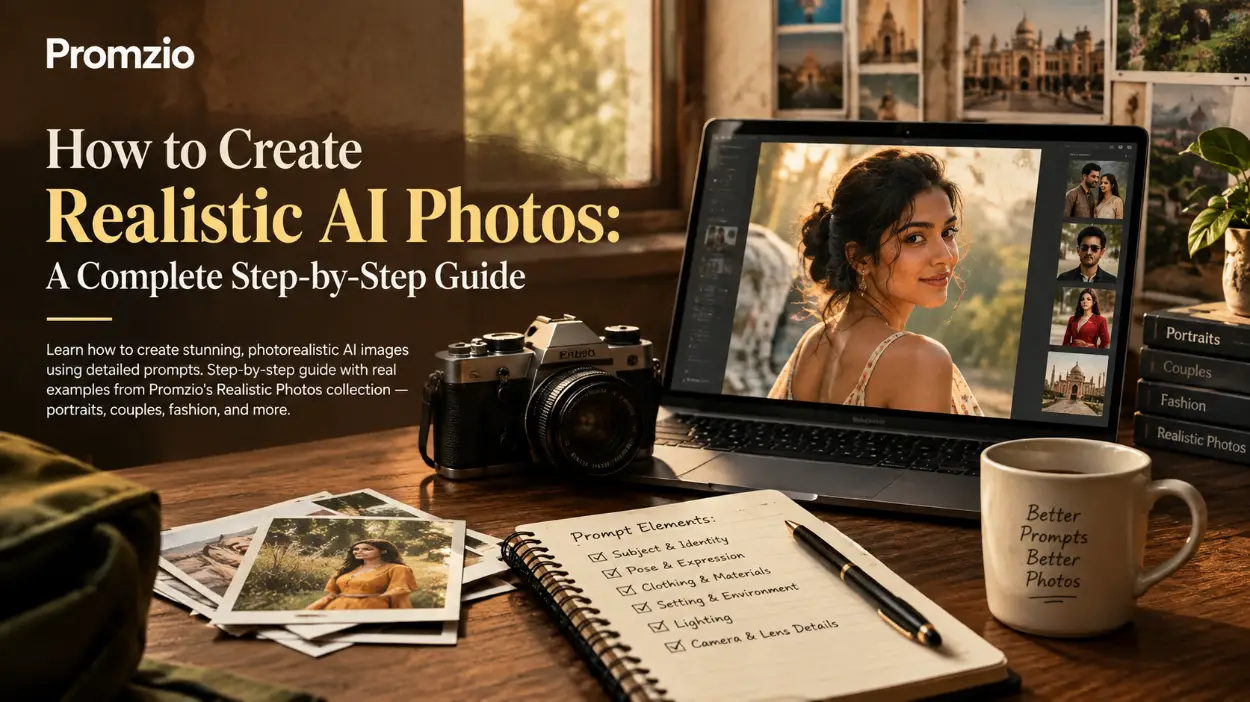
If you have ever looked at an AI-generated image and thought "that doesn't look real at all" — you are not alone. Most beginners hit the same wall. The image comes out looking too smooth, too perfect in a strange way, too plastic, or just off in ways that are hard to explain.
The good news? The problem is almost never the AI tool. It's the prompt.
After spending a lot of time experimenting with AI image generation and building the Realistic Photos collection on Promzio, I can say with confidence: the difference between a fake-looking image and one that stops people mid-scroll comes down entirely to how well you write your prompt.
This guide covers everything — from understanding what makes a photo "realistic," to building prompts step by step, to using ready-made prompts from Promzio for instant results.
What Does "Realistic Photo" Actually Mean in AI Prompting?
Before writing a single word of your prompt, it helps to understand what you're actually asking the AI to do.
When we say "realistic photo," we're asking the AI to simulate the output of a real DSLR camera — not a painting, not an illustration, not a render. We're asking it to produce something that looks like a trained photographer stood in a real location, pointed a real camera at a real person, and pressed the shutter.
That means the AI has to get many things right at the same time:
Skin texture — Real skin has pores, micro-hairs, subtle tonal variation, and natural imperfections. It doesn't look like it was airbrushed.
Lighting physics — Real light behaves in specific ways. Golden-hour sun creates warm, directional light with long shadows. Studio key lights create precise highlights and falloff.
Lens behavior — A real 85mm lens at f/1.8 creates a specific kind of background blur (bokeh), compression, and shallow depth of field. These details are all promtable.
Fabric and material response — Silk drapes differently than cotton. Denim has stitching and fading. Chiffon is translucent. Describing materials correctly tells the AI how to render them.
Candid composition — Overly posed images feel fake. Real photography often captures in-between moments, natural movement, and relaxed expressions.
When all of these elements come together in a prompt, the result looks like a photograph — not an AI generation.
Why Most "Realistic" Prompts Fail
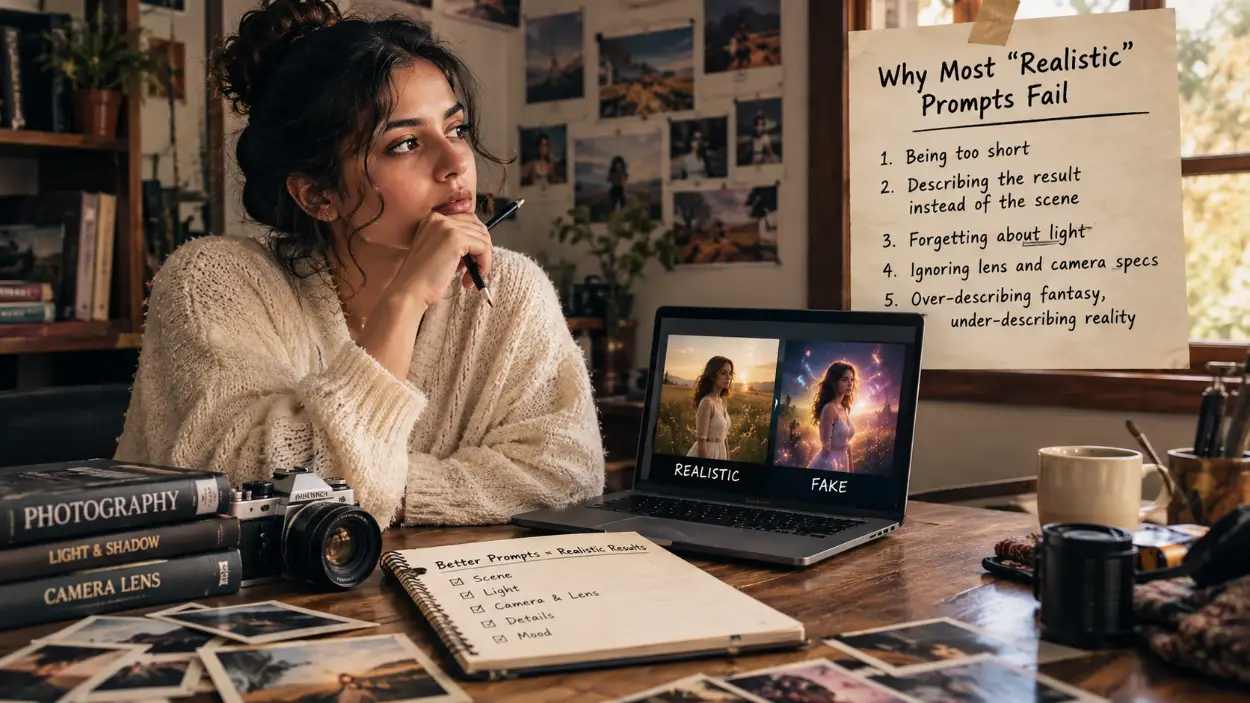
Let's talk honestly about where people go wrong, because understanding the mistakes makes it easier to avoid them.
Mistake 1: Being too short. "A realistic photo of a woman in a field" will never give you what you imagine. The AI has no information about lighting, lens, time of day, clothing, expression, skin detail, or mood. It fills in the gaps with generic defaults — and generic defaults look fake.
Mistake 2: Describing the result instead of the scene. Saying "make it look realistic" or "high quality" does nothing. The AI doesn't know what "realistic" means to you unless you describe the physical details that create realism: pore-level skin texture, film grain, lens falloff, candid expression.
Mistake 3: Forgetting about light. Light is the single most powerful factor in photography realism. If you don't describe your light source, direction, color temperature, and quality, the AI invents something flat and unconvincing. Every great realistic prompt describes the light explicitly.
Mistake 4: Ignoring lens and camera specs. Telling the AI you're using a Canon EOS R5 with an 85mm prime lens at f/1.8, ISO 100 is not nerdy detail — it's instruction. These specs tell the AI what kind of optical rendering to produce. Without them, you get something that looks like a generic digital render.
Mistake 5: Over-describing fantasy, under-describing reality. Real photographs don't have glowing auras or magical lighting unless it's a practical light. If you want realism, keep the elements grounded. Describe real fabrics, real settings, real light sources.
The Anatomy of a High-Quality Realistic Photo Prompt
Every great realistic photo prompt has the same core structure. Once you understand the structure, you can build almost any scene.
1. Subject Identity and Appearance
Start with a clear description of your subject. Include physical details: age range, ethnicity (if relevant to the scene), hair, skin tone, and any defining features. If you're working with a reference image for face consistency, say so explicitly.
2. Pose, Expression, and Body Language
Describe exactly what the person is doing and how they feel. Are they smiling? Looking away? Walking? Eyes closed? The more specific, the more candid the result. Avoid words like "posing for a photo" — say "candid moment" or "genuine expression" instead.
3. Clothing and Material Detail
Name the garment, the fabric, the color, and how it fits. Mention stitching, folds, creases, and how the fabric responds to movement or gravity. This level of detail is what separates magazine-quality prompts from generic ones.
4. Setting and Environment
Describe the exact location, its materials, and the depth of the scene. Is there a background? How far away? What's in the foreground? Environmental depth is what gives an image a sense of space and presence.
5. Lighting — The Most Critical Section
This is where most prompts succeed or fail. Describe:
The source of light (sun, studio key light, neon, window)
The direction (45-degree from the left, overhead, rim light from behind)
The quality (soft and diffused, hard and directional)
The color temperature (warm amber, cool blue, neutral)
Any secondary lights (fill light, rim light, bounce from nearby surfaces)
6. Camera and Lens Specifications
Name the camera model, lens focal length, aperture, ISO, and shutter speed. These aren't just details — they're instructions that define bokeh amount, depth of field, sharpness, and exposure character.
7. Mood and Atmosphere
Summarize the emotional tone of the image. Is it serene? Cinematic? Joyful? Intimate? This helps the AI calibrate color grading and overall feel.
8. Negative Instructions
At the end, explicitly list what you don't want. No plastic skin, no CGI look, no unnatural eyes, no watermarks, no extra fingers, no over-sharpening. This protects against the most common artifacts.
Building a Prompt Step by Step: A Real Example
Let's build a realistic portrait prompt from scratch, following the structure above.
The scene we want: A young woman sitting in a café, holding an iced coffee, dressed casually but stylishly, shot in natural daylight.
Step 1 — Subject:
Ultra-photorealistic DSLR portrait of a young South Asian woman in her mid-twenties
Step 2 — Pose and expression:
standing relaxed just outside a café entrance, holding an iced coffee in one hand, looking gently toward the camera with a soft, natural smile — a candid, unforced expression
Step 3 — Clothing:
wearing a black satin button-up shirt with the top two buttons open, distressed high-waisted denim shorts with visible stitching, and black leather flat sandals — clothing has realistic fabric weight, subtle wrinkles, and natural drape
Step 4 — Setting:
urban café exterior, warm brick facade in soft focus behind her, potted plants and outdoor seating visible in the bokeh background, creating layered environmental depth
Step 5 — Lighting:
soft, overcast midday daylight from above and slightly left, producing even, flattering facial illumination with minimal harsh shadow, delicate catchlights in both eyes, and subtle ambient bounce from nearby café walls
Step 6 — Camera specs:
Canon EOS R5, 85mm prime lens, f/1.8, ISO 200, 1/320 sec — shallow depth of field creating smooth creamy bokeh in the background, precise focus on the eyes and face
Step 7 — Mood:
relaxed, effortless, lifestyle editorial aesthetic — warm, approachable, and authentic
Step 8 — Negative instructions:
No artificial skin smoothing, no plastic texture, no CGI, no beauty filter, no extra fingers, no watermark, no text, no unnatural eyes
Put it all together and you have a prompt that gives the AI specific, actionable instructions for every dimension of the photograph. The result is dramatically more realistic than "a photo of a girl at a café."
You can find a beautifully crafted version of exactly this type of prompt on Promzio: Modern Fashion Editorial Portrait of Woman with Iced Coffee Outside Café.
5 Types of Realistic Photos and How to Prompt Them
Different types of realistic photos require different emphases in the prompt. Here's a breakdown of the most popular categories you'll find in the Realistic Photos section on Promzio.
1. Golden-Hour Nature Portraits
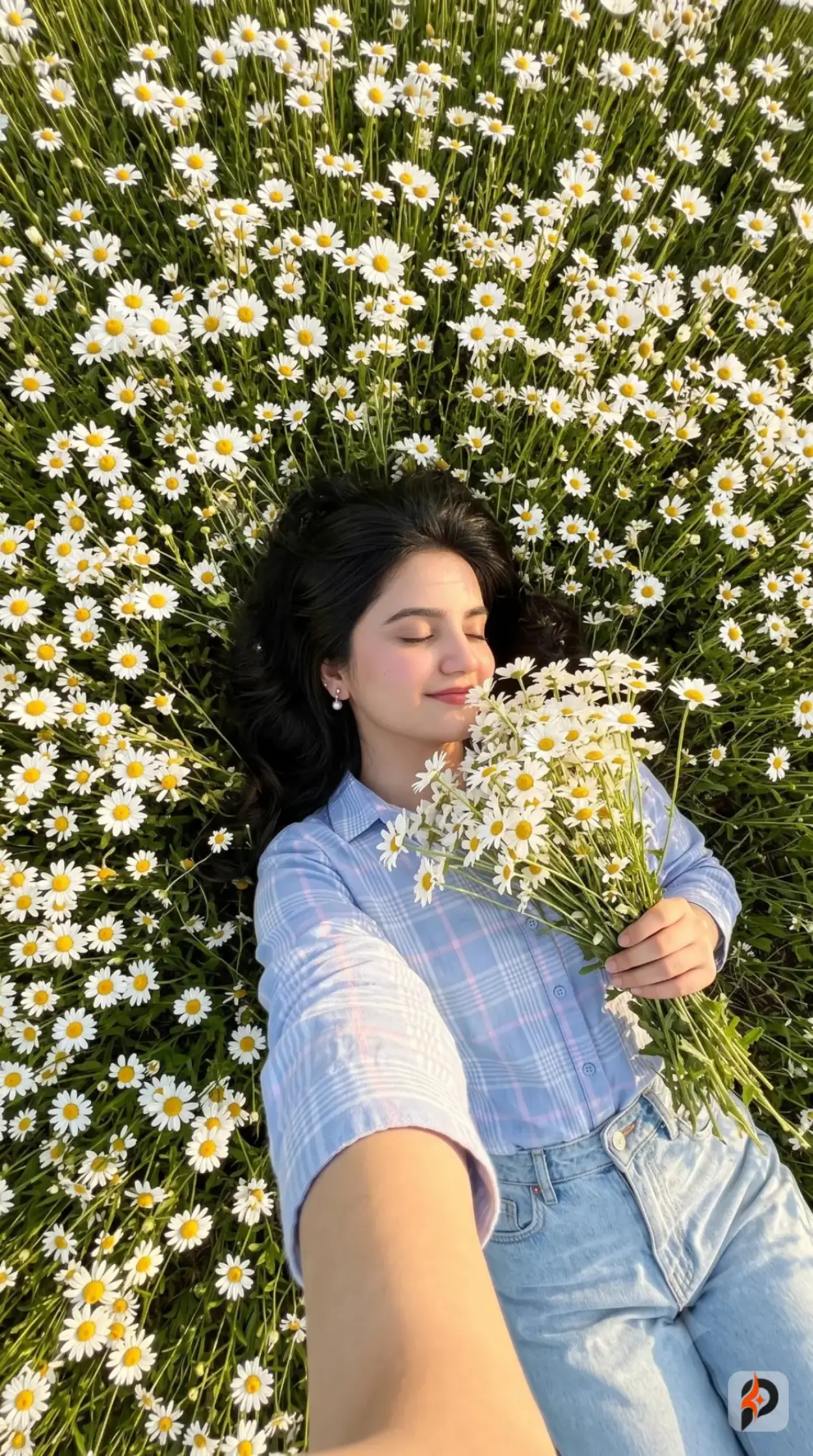
These are some of the most beautiful and emotionally resonant images you can create. The key ingredients are: warm directional sunlight, natural setting, soft expression, and genuine environmental interaction.
The critical mistake in nature portraits is making everything look too clean. Real outdoor photography has stray hairs, petal variations, uneven ground, and ambient light color shifts. Lean into these details.
For golden-hour specifically, describe the sun angle (skimming from the side, low in the sky), the warm amber color of the light, the way it creates rim lighting along hair and shoulders, and how it filters through any foliage or flowers nearby.
A great example to study from our collection: Golden Meadow Selfie: Serenity Among Endless White Daisies. This prompt describes an overhead selfie of a woman lying in a daisy field during golden hour — and the level of detail in the flower texture, light angle, hair movement, and lens specs is what makes it feel like a real photograph.
2. Couple and Lifestyle Photography
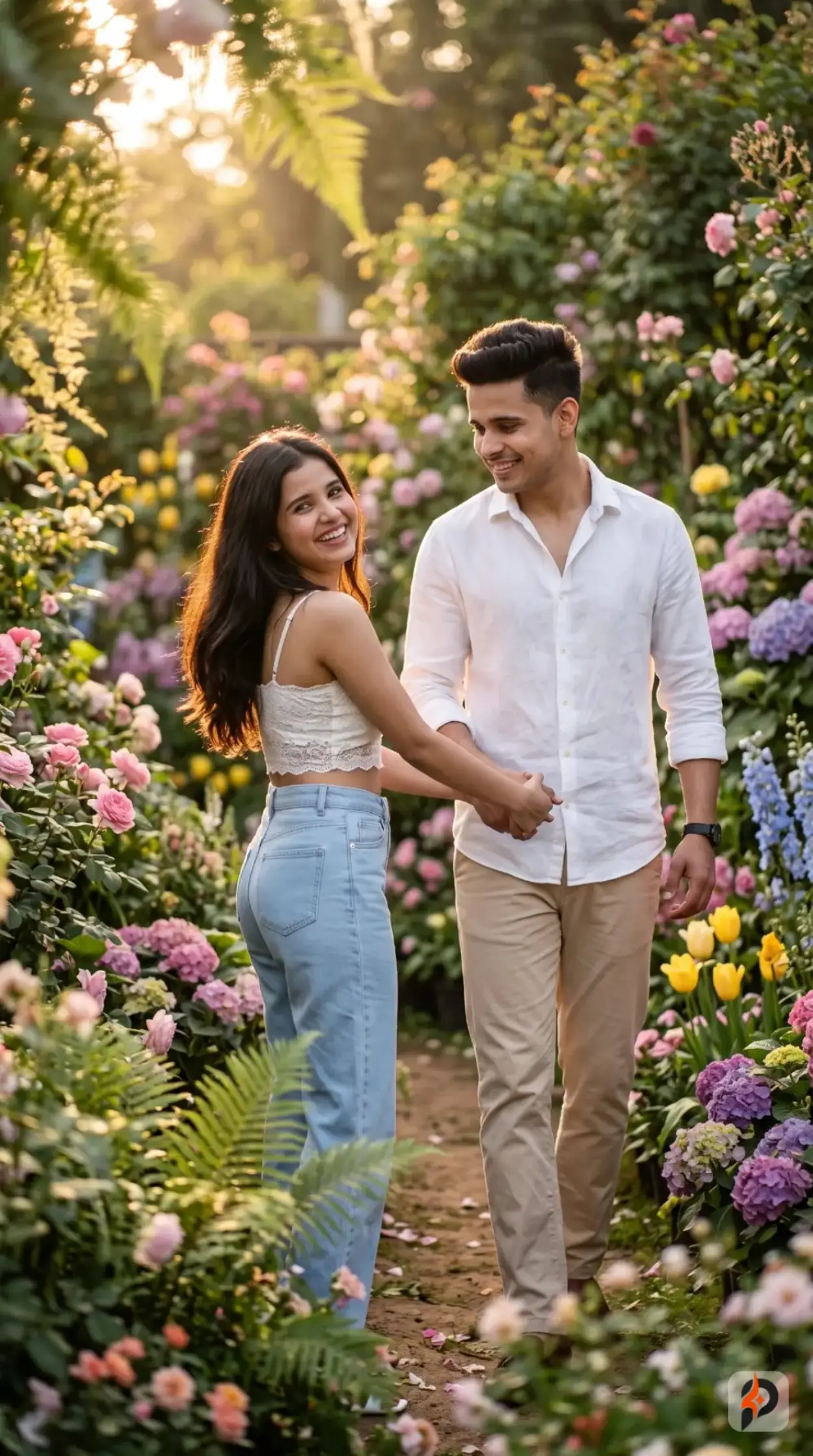
Couple portraits require an additional layer of attention: the relationship between the two subjects. They need to feel like real people who know each other, not two stock-photo models placed side by side.
The key is natural body language. Describe how they are positioned relative to each other — who is leading, who is looking back, how their hands are connected, where their gaze is directed. Movement helps too: walking, turning, reaching toward each other.
Promzio's Young South Asian Couple Walking Hand in Hand Through Blooming Garden is an excellent example of this. The prompt describes a specific interaction — the woman turning back toward the camera with a spontaneous smile while the man looks warmly at her — that creates genuine chemistry between the subjects.
3. Fashion and Studio Editorial Portraits
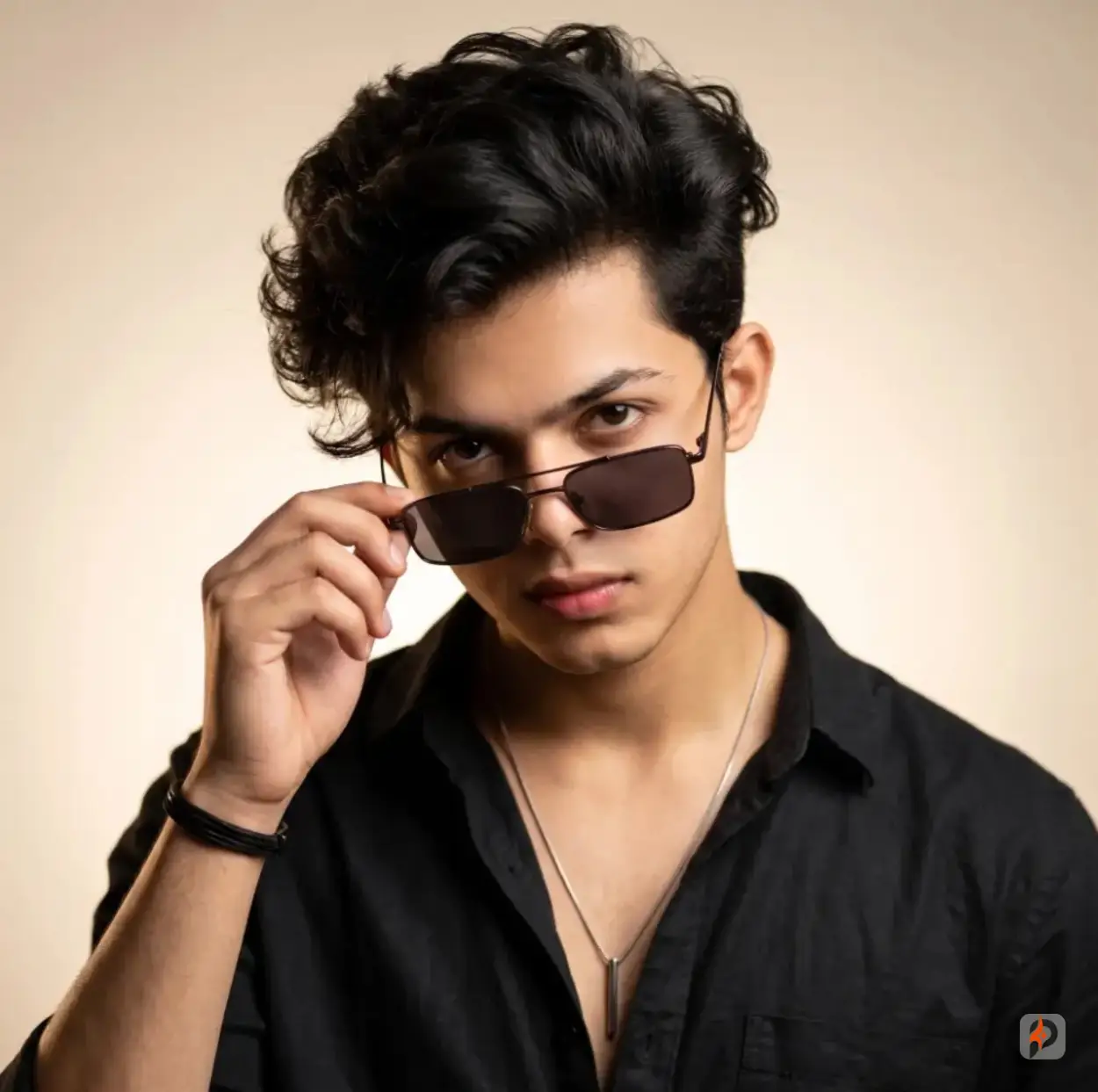
Studio fashion portraits are about controlled perfection. The lighting is designed rather than natural. The mood is intentional. These prompts require very precise lighting language.
The standard studio setup for fashion portraits uses a key light (usually at 45 degrees and slightly elevated), a fill light (to soften shadows), and sometimes a rim or hair light (from behind to separate the subject from the background). Describing this three-point setup explicitly gives the AI the instructions it needs to simulate professional studio photography.
Clothing description is also especially important here. Fashion editorial images are about the garment as much as the person. Describe fabric texture, drape, fit, and how light interacts with the material.
Check out Promzio's Cinematic Fashion Editorial Portrait of Young Man Holding Sunglasses — the lighting description alone (warm golden key light at 45 degrees camera-left, delicate rim light, creamy beige gradient backdrop) is a masterclass in studio portrait prompting.
4. Cultural and Traditional Portraits
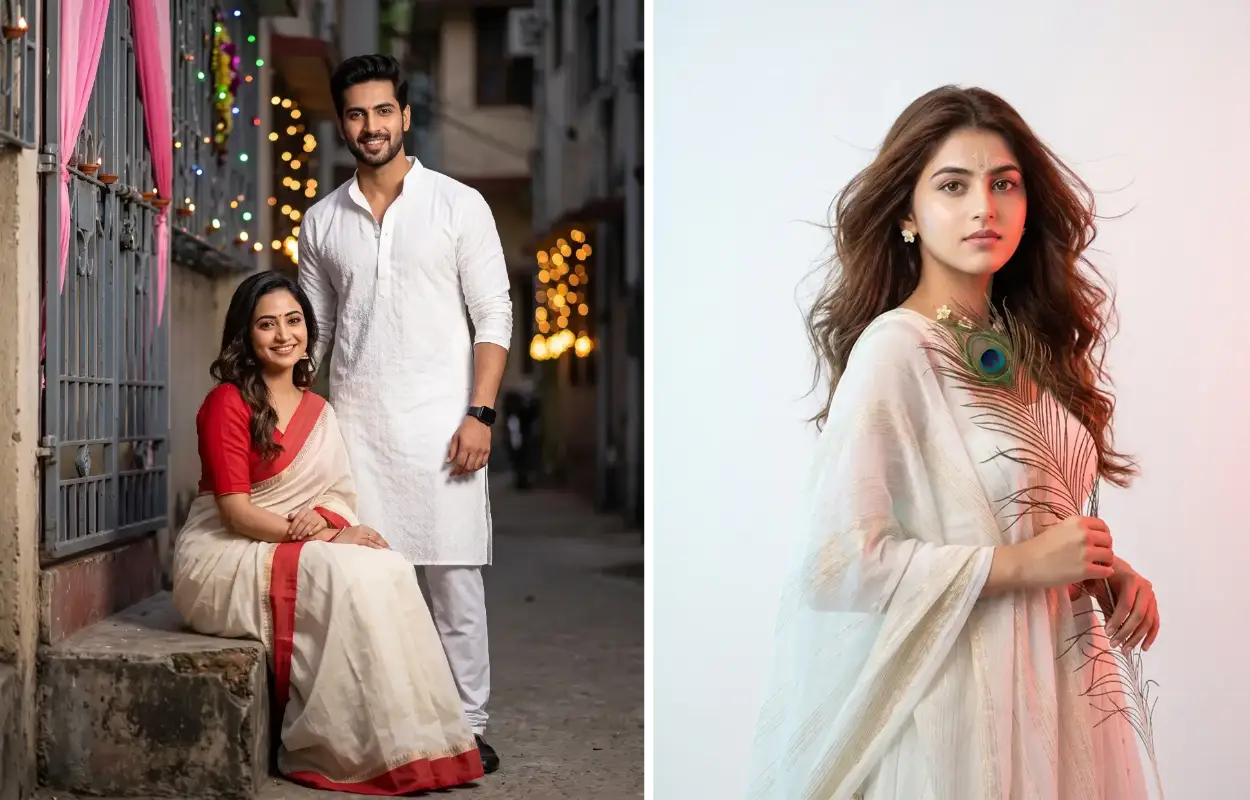
These are portraits that require cultural sensitivity alongside technical precision. When generating images of people in traditional attire — saris, lehengas, kurtas — the fabric description needs to be especially detailed because these garments have specific draping conventions, embroidery patterns, and material weights that AI can get wrong without proper guidance.
The backdrop matters enormously here. Traditional festive portraits often happen in specific environments: decorated alleyways, temple courtyards, festival settings with string lights and floral arrangements. Describing the environmental detail creates a sense of authenticity that generic prompts miss.
Our Photorealistic Portrait of an Indian Couple in Traditional Festive Attire and Cinematic Studio Portrait of Radha Inspired Woman with Peacock Feather are both strong examples of how cultural context and technical precision work together in realistic prompts.
5. Cinematic Scene Photography
This style sits at the intersection of photography and film. The goal is images that feel like they were pulled from a movie — with intentional color grading, atmospheric depth, and a narrative quality.
The key difference from standard realistic photography is the color science. Cinematic images use warm-neutral color grades with restrained contrast, highlight roll-off that preserves detail in bright areas, and rich shadow detail. Describing the palette explicitly — "warm honeyed gold, soft amber, natural skin tones, restrained silver" — tells the AI exactly what tone to produce.
How Promzio Works: Finding and Using Realistic Photo Prompts
If you're new to Promzio, here's how the platform works and why it's designed to save you time.
Every prompt in the Realistic Photos category has been crafted and tested with careful attention to detail. When a new realistic photo trend emerges — a particular scene type, lighting style, or composition technique — we build a prompt for it and upload it to Promzio so you can use it immediately.
Each prompt page shows you:
The prompt title — a clear description of what the image produces
The description — a plain-English explanation of what the prompt generates and who it's useful for
The full prompt text — everything you need to paste into your AI tool
The tags — for discovering related prompts and similar styles
The single most useful feature on any prompt page is the one-click copy button. Instead of manually selecting and copying thousands of characters of prompt text, you click once and the entire prompt is on your clipboard. Paste it into ChatGPT, Gemini, Midjourney, or any image generation tool and you're done.
To browse all realistic photo prompts, visit: promzio.com/prompts?category=realistic-photos
You can also filter by tags within the realistic photo category. Tags like Golden Hour, 85mm Portrait Lens, 8K Resolution, and Fashion Editorial let you quickly find prompts that match the specific visual style you're after.
The Details That Separate Good Prompts from Great Ones
After analyzing dozens of realistic photo prompts, I've noticed that the highest-performing ones consistently include a handful of specific elements that beginners almost always skip.
Subsurface scattering. This is how light penetrates the outer layers of skin and scatters internally before exiting — it's what makes skin glow from within rather than looking like a painted surface. Including "realistic subsurface skin scattering" in your prompt immediately improves skin quality.
Catchlights. These are the small reflections of light sources visible in a subject's eyes. They're a tiny detail that the human eye immediately recognizes. Without catchlights, eyes look flat and doll-like. Saying "natural catchlights in both eyes" is one line that makes a large difference.
Hair individuality. Prompt for "individual hair strands," "natural flyaways," and "subtle breeze movement." Generic prompts produce hair that looks like a single flat object. Great prompts produce hair that behaves like real hair.
Environmental interaction. Ask for light to interact with surfaces: "sunlight filtering through flower petals," "warm bounce light from nearby café walls," "atmospheric backlighting filtering through foliage." This physical interaction between light and environment is what creates believable depth.
Controlled imperfection. Real photographs are not perfect. There's subtle film grain, slight lens falloff at the edges, minor vignetting, and the occasional strand of hair across the face. Prompting for "subtle organic film grain" or "authentic edge falloff" adds the imperfections that make an image feel real.
Common Tags in the Realistic Photos Collection
Understanding the tags used in Promzio's realistic photo prompts can help you navigate the collection and build better prompts of your own.
Tag | What it means |
|---|---|
Ultra-high detail output | |
Flattering compression, shallow DOF | |
Warm directional sunset/sunrise light | |
Magazine-quality styled portraits | |
Blurred backgrounds with optical quality | |
Natural, unposed expressions | |
Film-grade lighting and color grading | |
Real-life scenes and authentic moments |
Frequently Asked Questions
What AI tools work best with Promzio's realistic photo prompts?
Do I need a reference image to use these prompts?
Why does my result look different from what the prompt describes?
Can I edit a prompt from Promzio to fit my specific need?
How do I get consistent face results across multiple images?
Why are camera specs like "Canon EOS R5" and "85mm f/1.8" included in prompts?
What does "negative prompt" mean and why does it matter?

Arjun Mehta
Lead Generative AI Artist & Prompt Architect
Former commercial photographer and 3D visualizer from Mumbai. Specializes in photorealistic portraiture, cinematic lighting setups, and high-fidelity Midjourney & Flux.1 prompt formulations.