Guide
How to Write AI Image Prompts That Work — Complete Guide
Learn the exact 5-part formula for writing AI image prompts that produce stunning results. Covers directive prompting, lighting terms, camera specs, and how Promzio's free library skips the trial-and-error entirely.
Introduction: Why Most AI Prompts Fail
AI image generation in 2026 is more powerful than ever. The tools available today can produce images that are genuinely indistinguishable from professional photography, fine art, and cinematic concept work — when they receive the right instructions.
The emphasis is on right instructions. The capability of the AI tool is almost never the limiting factor. The prompt is. And writing a prompt that reliably produces a professional-quality image is a skill — one that takes most people weeks of trial and error to develop.
This guide is designed to compress that learning curve. We are going to break down the exact structural formula used by experienced prompt writers, expose the specific mistakes that produce bad results, and show you how the prompts in the Promzio library implement these principles in practice.
By the end of this guide, you will understand not just what to write, but why specific words and structures produce specific results.
Part 1: How the AI Actually Reads Your Prompt
To write better prompts, you first need to understand what happens when the AI receives one.
AI image generators are trained on hundreds of millions of image-text pairs. When you submit a prompt, the model converts your text into a mathematical representation and uses it to guide the image generation process. Words that appear more frequently in its training data have stronger, more predictable effects. Words that are vague, contradictory, or rare in the training data produce inconsistent results.
There are two important implications:
First: Word order matters. Most AI models weight earlier tokens more heavily. This means the first words in your prompt have outsized influence on the result. Whatever you put at the beginning is what the AI anchors the entire generation around.
Second: Specificity wins. "Woman" and "editorial fashion portrait of a woman in a structured blazer, street photography style, overcast natural lighting" are technically describing similar things. But the second one gives the AI a precise set of constraints to work within, dramatically increasing the chance that the output matches your intent.
Part 2: Descriptive vs. Directive Prompting
One of the most important distinctions in prompt writing is the difference between descriptive and directive prompting.
Descriptive prompting narrates what you want to see as if you are telling a story:
"A sad girl sitting alone in her apartment at night, looking out the window at the rainy city, thinking about her past."
This feels natural to write — but it produces inconsistent results because it leaves too many technical decisions to the AI. What style? What camera angle? What lighting? What color palette?
Directive prompting communicates with the AI the way a film director communicates with a cinematographer:
"Cinematic medium shot of a melancholic young woman seated at a rain-streaked apartment window, city lights blurred in background, soft blue-grey color grading, cool diffused window lighting, shot on 50mm lens, shallow depth of field, photorealistic, editorial mood."
The second prompt specifies the shot type, the color grading, the light source, the lens, the style, and the mood. The AI is left with almost nothing to guess. This is why all the prompts in the Promzio library are written using the directive approach — and why they produce consistent, impressive results.
Part 3: The Keyword Salad Problem
Before we learn the correct formula, we need to unlearn the most common bad habit in AI prompting.
Early in the history of AI image generation, users discovered that adding words like "masterpiece," "best quality," and "trending on ArtStation" improved results on older models. This spread widely, and people began adding dozens of quality modifiers to every prompt.
The result on modern AI models is what we call a Keyword Salad — a prompt that is mostly quality descriptors with very little substance:
"A cat, masterpiece, best quality, 8k, 4k, ultra detailed, hyper realistic, insane detail, beautiful, stunning, gorgeous, unreal engine 5, octane render, cinematic, trending, vivid colors."
Here is why this produces poor results:
Token dilution: The AI gives weight to every word in your prompt. When most of your tokens are vague quality adjectives, the actual subject receives very little computational attention. Your cat disappears into a cloud of abstraction.
Style confusion: "Photorealistic" and "octane render" are different aesthetics. "Unreal Engine 5" implies a specific CGI look. Mixing these signals produces an incoherent blend.
The artificial look: Ironically, overusing "hyper realistic" tells the AI to apply heavy rendering effects that actually make images look more artificial — more like CGI and less like photography.
The solution is not to add more words. The solution is to add the right words, in the right order, with a clear structure.
Part 4: The Anatomy of a Perfect AI Prompt
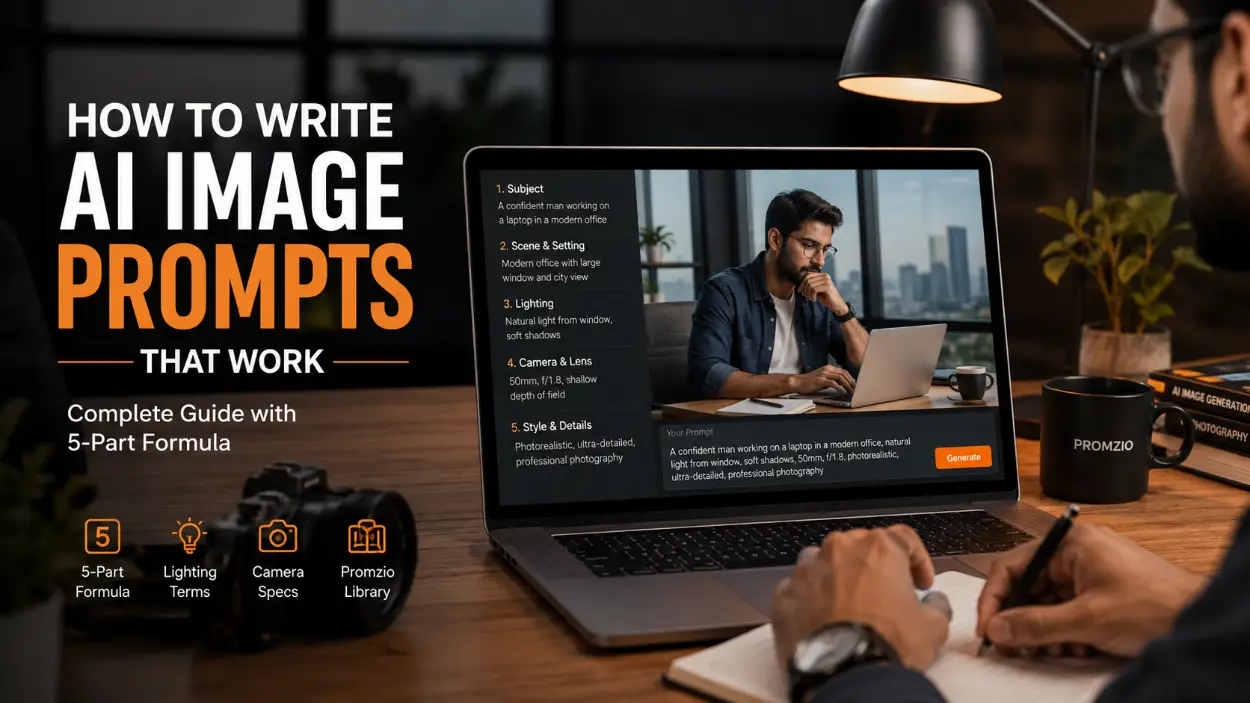
Through extensive testing, we have found that the most consistently effective AI prompts follow a five-part structure. Each part serves a distinct purpose, and the order matters.
1. Medium and Format
Start by telling the AI what kind of image it is creating. This is the single most important frame you can provide.
Examples: "A candid photograph of..." / "An anime illustration of..." / "A 3D rendered character..." / "A watercolor painting of..." / "A cinematic film still of..."
By naming the format first, you establish the rendering style, color behavior, and texture properties of the entire image before the AI even processes the subject.
2. Subject and Action
Next, describe your main subject with specific, concrete detail. What are they? What are they doing? What are they wearing?
Examples: "...a young woman in a structured white blazer standing on a city rooftop, looking at the skyline..." / "...a golden retriever puppy running through autumn leaves in a park..."
Be specific. "Woman" is vague. "Young woman in her late twenties, dark hair pulled back, wearing an oversized cream knit sweater" is specific and gives the AI clear anchors.
3. Environment and Setting
Place your subject in a specific location with specific environmental details.
Examples: "...surrounded by gleaming modern skyscrapers in a downtown business district..." / "...in a cozy sunlit kitchen with white marble countertops and copper pots..."
The environment communicates not just background but also available light, color temperature, and atmospheric mood.
4. Lighting and Atmosphere
Lighting is where most beginners fail. Generic words like "good lighting" or "nice light" have almost no effect on modern AI models. You need to be specific about the type, direction, and color of the light.
The prompts in the Promzio library use precise lighting language because it is one of the most powerful variables in image quality:
Golden hour sunlight, warm amber glow, long soft shadows
Dramatic chiaroscuro lighting, strong contrast between light and shadow
Soft diffused natural light, overcast sky, gentle shadows
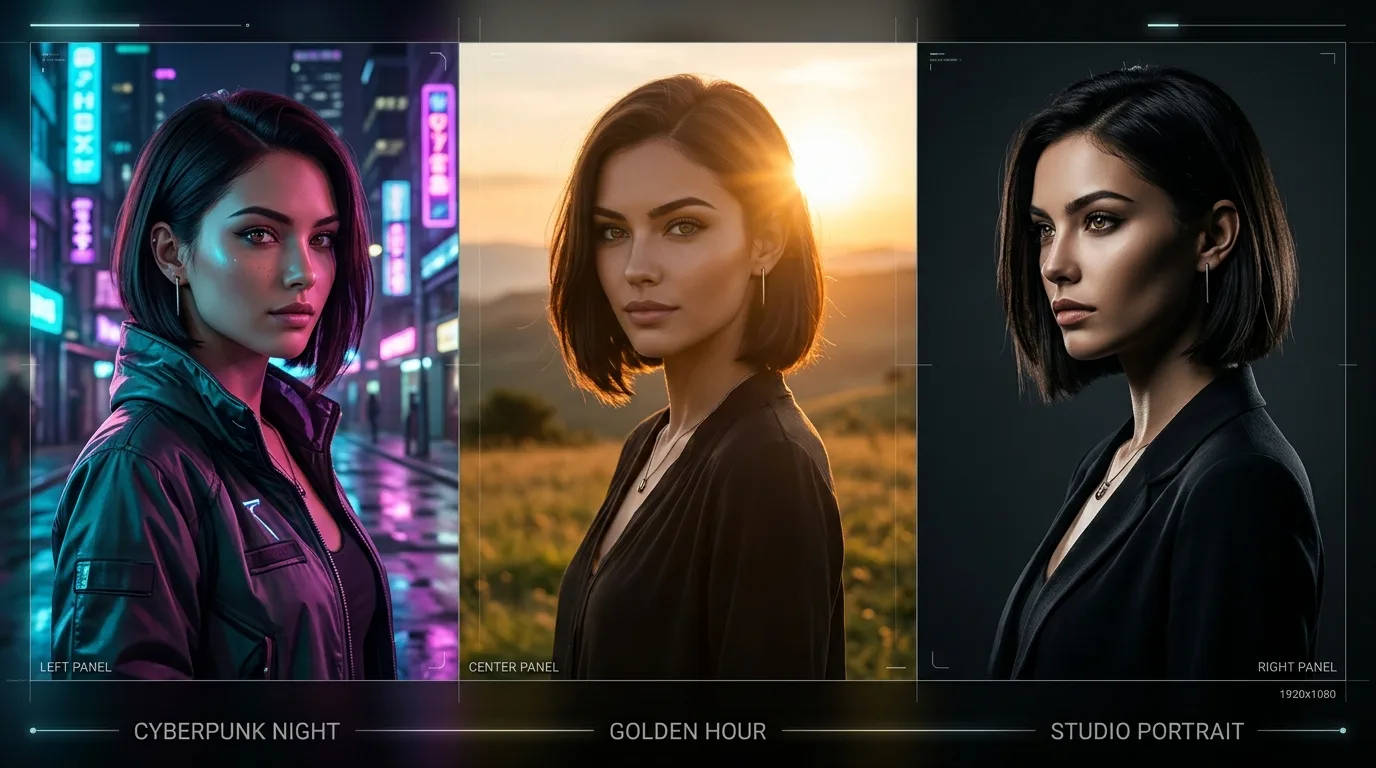
Vibrant neon light glow, colored LED, pink and cyan reflections on wet surfaces
Professional studio lighting, three-point lighting setup
Volumetric god rays, light beams through fog, atmospheric light scattering
5. Camera Details or Artistic Style
Finish by specifying how the image is captured or what artistic style it draws from.
For photographs: "shot on 85mm lens, f/1.4, shallow depth of field, Kodak Portra film grain"
For paintings: "in the style of Studio Ghibli, soft pastel color palette, hand-painted texture"
For 3D: "Blender 3D render, subsurface scattering, ray traced lighting, ultra detailed"
Putting It All Together
Here is the formula in action:
[Medium] + [Subject + Action] + [Environment] + [Lighting] + [Camera/Style]
"A candid photograph of a young woman in an oversized cream knit sweater, sitting cross-legged on a window seat, reading a book, surrounded by indoor plants and warm afternoon light streaming through sheer curtains. Soft golden natural lighting, warm amber color grading, shot on 50mm lens, f/1.8, shallow depth of field, lifestyle editorial mood."
You can find prompts built exactly on this structure across every category in the Promzio library. The Realistic Photos section, which contains our most refined photorealistic prompts, is the best place to study this formula in action.
Part 5: Advanced Techniques That Make a Real Difference
Technique 1: Specify Materials and Textures
AI models respond powerfully to specific material descriptions. Not "a jacket" — but "a worn, distressed leather bomber jacket with visible brass zippers and fraying collar stitching." Not "a wall" — but "exposed rough red brick with peeling white paint and visible mortar lines."
Material specificity forces the AI to render high-frequency surface details, which dramatically increases the perceived realism and quality of the image — without needing to add the word "ultra detailed" anywhere.
Technique 2: Use Cinematic Framing Terms
Photography and cinematography have an established vocabulary that AI models understand precisely. Using these terms gives you direct control over composition:
Establishing shot: Wide angle, shows the full environment, subject is small within it
Medium close-up: Shows subject from chest up, focused on face and upper body
Over-the-shoulder shot: Creates depth and narrative between two subjects
Low angle / worm's eye view: Makes subject look imposing and powerful
Bird's eye view: Overhead perspective, great for environments and patterns
Dutch angle: Tilted camera, creates dynamic tension or unease
Technique 3: Focal Length Control
Different focal lengths produce different compression and perspective effects:
85mm lens: Classic portrait focal length, flatters facial proportions, beautiful background blur
50mm lens: Natural perspective, closest to how the human eye sees
35mm lens: Slightly wide, good for environmental portraits
14mm ultra-wide: Dramatic distortion, great for expansive landscapes and architecture
100mm macro: Extreme close-up detail, perfect for product shots and textures
How Promzio Implements These Principles
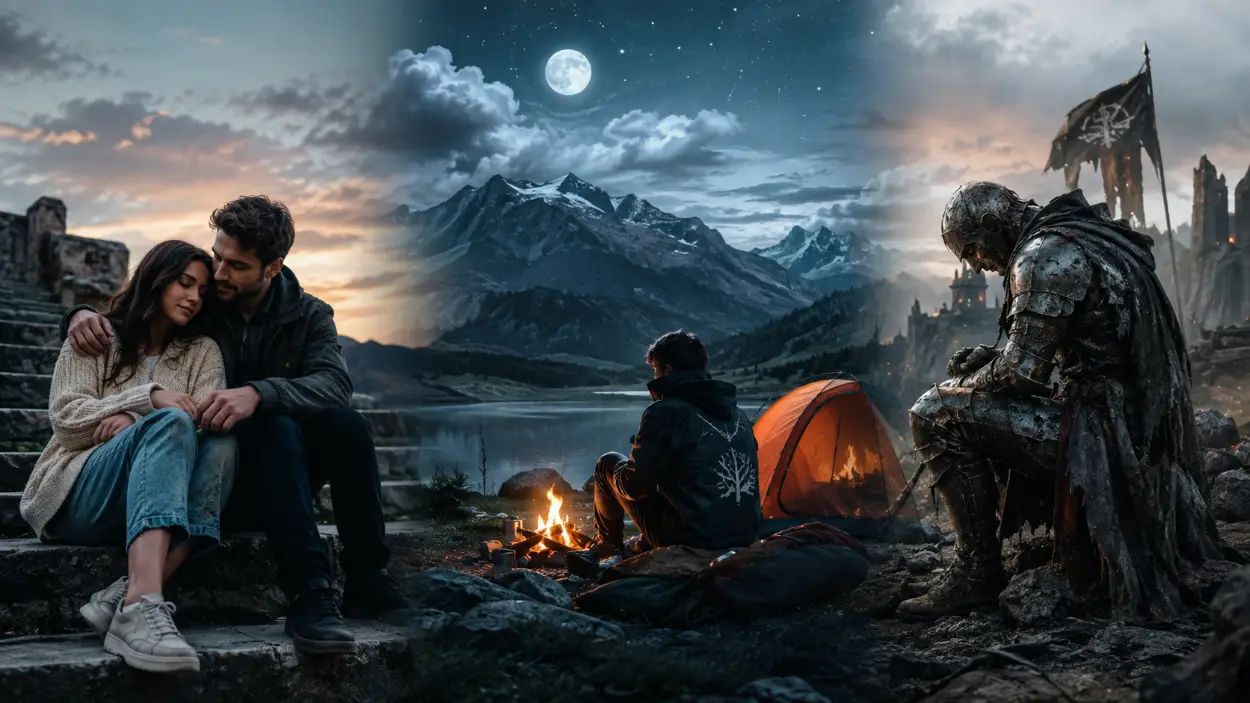
Let's look at three real examples from the Promzio library to see these techniques in practice.
Example 1: Realistic Portrait Excellence
Prompt: Stacked in Serenity — A Tender Moment on the Steps
This prompt opens by specifying the medium ("ultra-photorealistic, publication-quality outdoor portrait"), then the subjects and action, then the environment (weathered stone steps), and finishes with precise lighting and camera specifications. Every element of our five-part formula is present. The result is an image that looks like it came from a high-end editorial shoot — not like an AI generation.
Example 2: Anime Style Mastery
Prompt: Moonlit Camping — A Traveler's Quiet Adventure Beneath the Stars
Here, the medium specification ("cinematic anime-inspired masterpiece") immediately locks the AI into a distinct visual style. The environment is described with specific atmospheric language (moonlit sky, stars, campfire glow), and the mood is established through careful word choice ("tranquil," "serene," "quiet adventure"). The prompt uses the Makoto Shinkai reference as a style anchor — a powerful technique for anime-style images.
Example 3: Fantasy and Sci-Fi Concept Art
Prompt: Fallen Knight — Weathered Armor and Tragic Resolve in a Ruined Battlefield
This prompt demonstrates the power of emotional specificity. It doesn't just describe armor — it describes "deeply weathered, scarred steel plate armor etched with conflict." It doesn't just place the character somewhere — it places him in a context of history and tragedy. These emotional and narrative layers give the AI rich material to work with, producing images with genuine visual storytelling.
The Promzio AI Prompt Builder
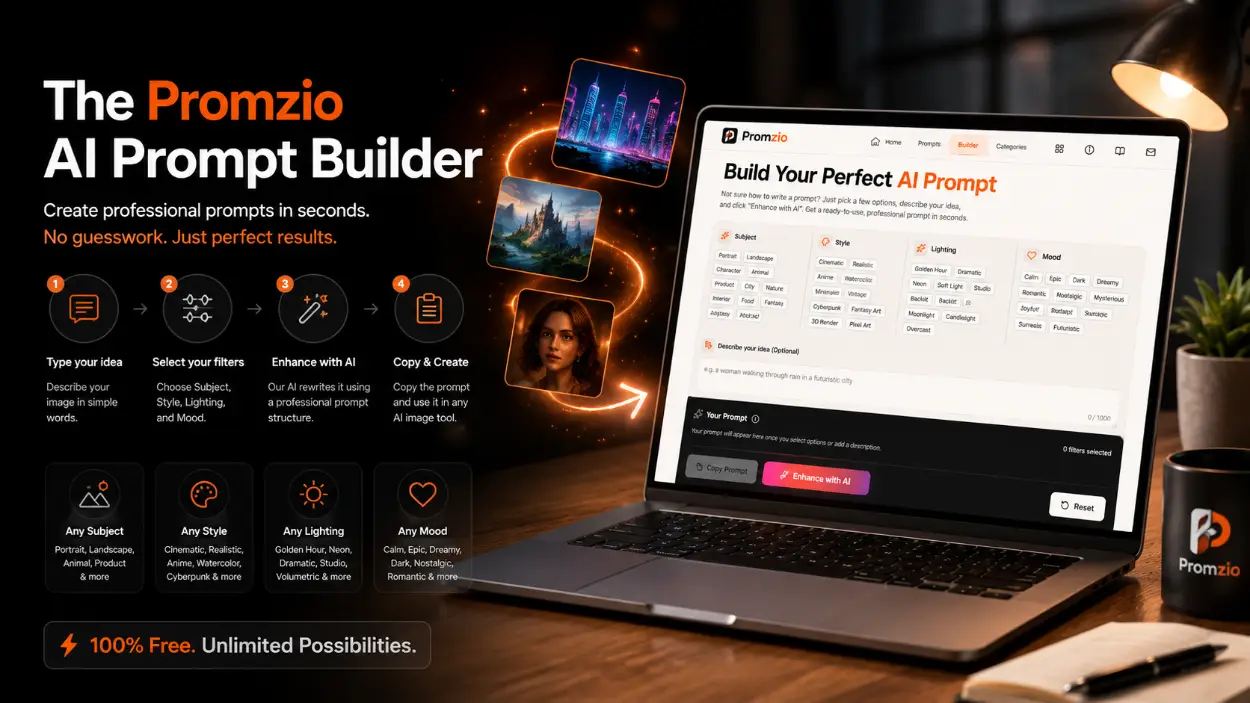
Understanding the formula is valuable. But sometimes you just want a prompt for a specific idea, right now, without spending twenty minutes crafting one from scratch.
That is exactly why we built the Promzio AI Prompt Builder, available directly on the homepage at no cost.
Here is the workflow:
Type your idea into the text field — something as simple as "a woman walking through rain" or "a futuristic skyline at night."
Select your filters: choose a Subject type (Portrait, Landscape, Character, Animal, etc.), a Style (Cinematic, Anime, Realistic, Watercolor, Vintage, Cyberpunk, etc.), a Lighting preset (Golden Hour, Dramatic, Neon, Volumetric, Studio, etc.), and a Mood (Calm, Epic, Dark, Dreamy, Romantic, Nostalgic, etc.).
Click the Enhance button. Our AI, powered by Google Gemini, rewrites your input using the professional prompt structure we covered in this guide.
Copy the resulting prompt and paste it into your AI image generator.
The Builder handles all the structural complexity for you — the medium specification, the lighting language, the camera terminology, the mood modifiers — automatically. It is the practical application of everything covered in this guide, available in seconds, for free.
Conclusion
Writing effective AI prompts is not about knowing secret words or magic phrases. It is about understanding the structure that gives the AI what it needs to interpret your vision accurately.
The five-part formula — Medium, Subject, Environment, Lighting, Camera/Style — gives you that structure. The techniques we covered — material specificity, cinematic framing, focal length control — give you the vocabulary to be precise within that structure.
And Promzio gives you both a library of working examples and an AI Builder to apply these principles without the learning curve.
Stop guessing. Start with a structure. Use the library when you want proven results, and use the Builder when you want something custom.
Your best AI image is one well-structured prompt away.
Frequently Asked Questions
Why does word order matter so much in an AI prompt?
What is the difference between descriptive and directive prompting?
How do the prompts on Promzio implement professional prompting techniques?
Is the Promzio AI Prompt Builder available for free?
What specific lighting terms should I use for better AI image results?
How many prompts does Promzio currently have and how often are new ones added?

Devendra Patel
Cinematic Lighting & Architectural Prompt Engineer
Architectural visualizer and filmmaker based in Ahmedabad. Specializes in brutalist interiors, atmospheric landscapes, and cinematic aspect ratio prompts.